NixOS Baby Steps

Trying to figure out how to use NixOS to accomplish 3 goals:
- Have a stable "daily driver" laptop for web browsing, light gaming, programming, etc.
- Spin up reproducible development environments faster and easier than my old Vagrant / VirtualBox setup.
- Build up some basic sysadmin skills, putting together a better homelab.
Resources
Introductory textbooks
Introduction to Nix & NixOS | NixOS & Flakes Book
An unofficial and opinionated book for beginners


Wombat’s Book of Nix
 Amy de Buitléir
More specific blog posts
DIY Music Streaming with NixOS, Jellyfin and Manet
In this post I describe how I’m hosting my own music streaming service with
NixOS and Jellyfin on Hetzner for €6 / month.
 Arne Bahlo
Using Nix to Fuzz Test a PDF Parser (Part One)
Fuzz testing is a technique for automatically uncovering bugs in software. The problem is that it’s a pain to set up. Read any fuzz testing tutorial, and the first task is an hour of building tools from source and chasing down dependencies upon dependencies.
I recently found that Nix eliminates a lot of the gruntwork from fuzz testing. I created a Nix configuration that kicks off a fuzz testing workflow with a single command. The only dependencies are Nix and git.
 Michael Lynch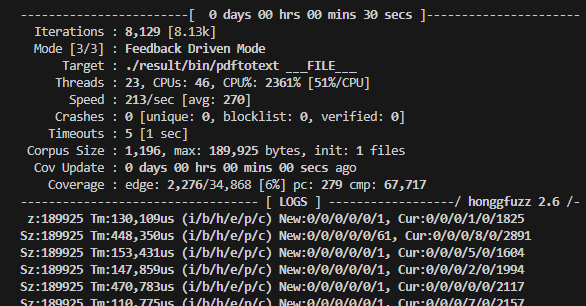
Paranoid NixOS Setup
Xe Iaso’s personal website.


Chinese Pinyin
After struggling a bit with fcitx5 and ibus, BerryJ's config was the simplest:
{ config, pkgs, ... };

{
  i18n = {
    inputMethod = {
      enable = true;
      type = "ibus";
      ibus.engines = with pkgs.ibus-engines; [ pinyin ];
    };
  };
}
/etc/nixos/configuration.nix
I then had to reboot, and I could select Chinese (Pinyin) in the GNOME Keyboard Settings.
Steam
{ config, pkgs, ... }:

{
  programs = {
    steam = {
      enable = true;
      remotePlay.openFirewall = true;
      dedicatedServer.openFirewall = true;
      localNetworkGameTransfers.openFirewall = true;
    };
  };

  nixpkgs.config.allowUnfree = true;
}
/etc/nixos/configuration.nix
Home Manager
This seems to be most useful to install stuff that is commonly configured in a user's home directory.
{ inputs, lib, config, pkgs, ... }:

{
  home = {
    shellAliases = { em = "emacsclient -nw"; };

    packages = with pkgs; [
      nix-prefetch-git
      ripgrep
      jq
    ];
  };

  programs = {
    bash = {
      enable = true;
      enableCompletion = true;
    };

    emacs = {
      enable = true;
      extraPackages = epkgs: [
        epkgs.nix-mode
        epkgs.nixfmt
        epkgs.expand-region
      ];
      extraConfig = ''
        (setq standard-indent 2)
      '';
    };

    ghostty = {
      enable = true;
      package = if pkgs.stdenv.isDarwin then pkgs.ghostty-bin else pkgs.ghostty;

      enableBashIntegration = true;

      settings = {
        theme = "Abernathy";
        background-opacity = "0.95";
      };
    };

    home-manager.enable = true;
  };

  services = {
    emacs = {
      enable = true;
      defaultEditor = true;
    };
  };

  systemd.user.startServices = "sd-switch";
  home.stateVersion = "25.11";
}
/etc/nixos/home.nix
Flakes
{
  description = "NixOS configuration";

  inputs = {
    nixpkgs.url = "github:NixOS/nixpkgs/nixos-25.11";
    home-manager = {
      url = "github:nix-community/home-manager/release-25.11";
      inputs.nixpkgs.follows = "nixpkgs";
    };
  };

  outputs = inputs@{ nixpkgs, home-manager, ... }: {
    nixosConfigurations.nixos = nixpkgs.lib.nixosSystem {
      modules = [
        ./configuration.nix

        home-manager.nixosModules.home-manager
          {
            home-manager.useGlobalPkgs = true;
            home-manager.useUserPackages = true;
            home-manager.users.dtoma = import ./home.nix;
          }
      ];
    };
  };
}
/etc/nixos/flake.nix
Maintenance
To rebuild, run sudo nixos-rebuild switch.
From time to time, run:
nix-store --gc
nix-store --optimise
https://wiki.nixos.org/wiki/Storage_optimization
Upgrade
Add the new version:
nix-channel --add https://channels.nixos.org/nixos-26.05 nixos
nix-channel --update
Edit the configs:
# configuration.nix

{
  system.stateVersion = "26.05";
}

# flake.nix
inputs = {
  nixpkgs.url = "github:NixOS/nixpkgs/nixos-26.05";
  nixpkgs-unstable.url = "github:nixos/nixpkgs/nixos-unstable";
  home-manager = {
    url = "github:nix-community/home-manager/release-26.05";
    inputs.nixpkgs.follows = "nixpkgs";
  };
};

# home.nix
{
  home.stateVersion = "26.05";
}
Then run sudo nixos-rebuild switch and let the computer reboot.
Clean up:
nix-store --gc

> deleting unused links...
> note: hard linking is currently saving 654.2 MiB
> 1055 store paths deleted, 1.7 GiB freed

nix-store --optimise

> 4.1 GiB freed by hard-linking 535308 files